

Fancy Font Generator - Copy & Paste Stylish Text
Transform your text into beautiful fancy fonts instantly ✨ Generate 100+ stylish font variations for Instagram bios, TikTok usernames, Discord chats, Facebook posts, gaming profiles & more. Real-time preview, one-click copy, completely free!
👇 Your text will instantly convert into stylish fonts below
Popular Uses of Fancy Fonts
Example Fancy Fonts Preview
Normal: Hello World
Fancy: 𝓗𝓮𝓵𝓵𝓸 𝓦𝓸𝓻𝓵𝓭
Bold: 𝐇𝐞𝐥𝐥𝐨 𝐖𝐨𝐫𝐥𝐝
Circle: ⓗⓔⓛⓛⓞ ⓦⓞⓡⓛⓓ
Copy and Paste Your Text in 3 Easy Steps
-
Step 1

Pick a font style
Type your text and browse our list of text styles to find the perfect one. Fonts tagged with "Aa" include upper and lowercase, 🌐 support multiple languages.
-
Step 2

Copy & edit your text
Click the "copy" button or select text and use Ctrl+C / Command+C to copy your chosen font style.
-
Step 3
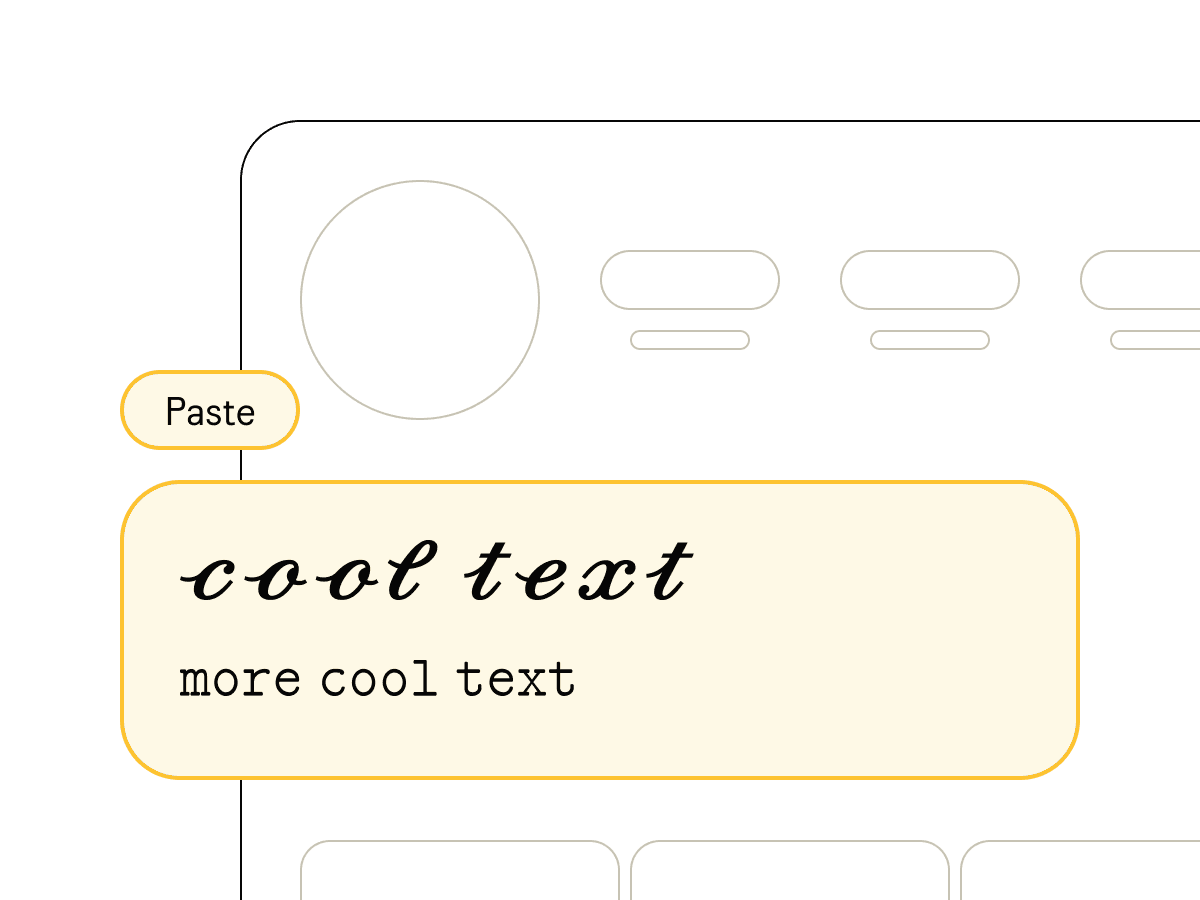
Paste anywhere
Paste your copied text into Instagram, Facebook, Discord, TikTok, or anywhere you like.
Fancy Font Generator & Font Changer
Fancy Font Generator will help you to create cool and fancy Fancy fonts for Instagram, Facebook, or other social media profiles, posts, comments, and videos.
Generate emojis, text pictures, and fancy letters instantly. Type or paste your text and watch as dozens of Fancy Fonts Text are created automatically.
The free toolkit for Fancy text generator
Unleash the power of typography on Fancy. Elevate your Fancy with unique and eye-catching fonts, making every character count. From subtle shifts to bold statements, the toolkit turns your creative content into captivating text.With fancy text for Fancy, take your online persona to a whole new level.
About the Fancy Font Generator Website
iFonts.Online is the best Fancy font generator website. The website lets you convert normal text into fancy looking text. Apart from this our Fancy font generating website is mobile friendly. You don't need to install any other app on Android or iOS device to create fancy Fancy Fonts. you can use in any Android or iOS devices.
Best Practices for Using Fancy Fonts
Social Media Bios: Keep it readable - choose cleaner Fancy styles for Instagram/Twitter bios. Avoid overly decorative fonts that might be hard to read on small screens.
Gaming Usernames: Go bold! Add special characters like ★, 亗,꧁༺ to make your gamer tag stand out. Test how it appears in-game before finalizing.
Brand Consistency: If using for business, pick one signature font style and stick with it across all platforms for brand recognition.
Accessibility: Remember that screen readers may struggle with elaborate Unicode. Use fancy fonts for decoration, not critical content.
FAQ
-
What is the best Fancy font generator?
iFonts is the best Fancy text generator for creating stylish Fancy fonts to Instagram, Facebook, or other social media
-
Is the Fancy text changer safe?
Yes, the Fancy text changer is safe to use. It primarily transforms the text you input into various styles without accessing, storing, or sharing your data.
-
How to use a Fancy font changer?
First, navigate to the tool on the iFonts platform. Enter your desired text into the provided input field. It will instantly showcase various font styles tailored for Fancy. Browse through the options, and when you find one you like, click on it to copy. The stylized text can now be pasted directly into your Instagram, Facebook, or other social media posts, bio, or profile section.
-
How to copy and paste Fancy fonts?
Once you've used the tool to generate your preferred text style, click on the stylized text to copy it instantly to your clipboard. Then, head over to Instagram, Facebook, or other social media, right-click and paste or use the keyboard shortcut (Ctrl+V for Windows or Command+V for Mac) to insert your custom-styled text.
-
How do I add fancy fonts to my Instagram bio?
Step 1: Type your text in our generator above. Step 2: Browse through available Fancy font styles. Step 3: Click to copy your favorite. Step 4: Open Instagram → Profile → Edit Profile. Step 5: Tap Name or Bio field. Step 6: Long-press and paste. Step 7: Click Done to save! Your stylish bio is now live.
-
Can I use these fonts in PUBG, Free Fire, or Fortnite?
Yes! Our Fancy fonts work perfectly in PUBG Mobile, Free Fire, Fortnite, Call of Duty Mobile, Valorant, and most gaming platforms. Create unique gamer tags like: 亗 LEGEND 亗、꧁༺ProGamer༻꧂、ㄨ乂 YourName 乂。Note: Some games may restrict certain special characters, so test your chosen style first.